Helping Veterans access care and benefits online
Description
We joined the modernization effort at VA to implement a modern Drupal content management system and empower a Veteran-first approach to online healthcare.
Teaser Image
Image
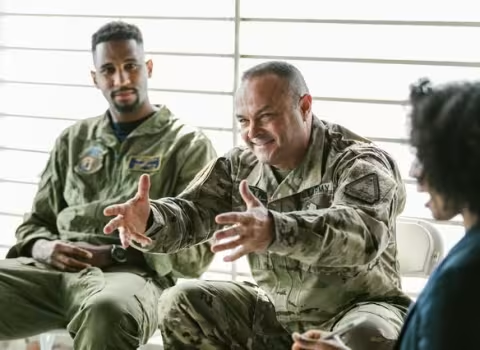
Two soldiers in camouflage speak with a woman during a counseling session.
Body

The challenge

The U.S. Department of Veterans Affairs (VA) is working to improve the confusing experience many Veterans have when navigating multiple VA sites built on a mix of legacy technologies.

Having launched a reinvigorated VA.gov in 2018 as an important step to a unified Veteran-first digital platform, the agency still needed to build out a common content management system (CMS), establish consistent descriptions for services, and organize the information in an accessible way for Veterans in need of health care.

Client goal

The large-scale pilot effort focused on using one of the regional VA Medical Centers as a model for all future VA.gov content. This would empower the VA to:

  • Provide better healthcare management and scheduling online
  • Explain benefits clearly and provide intuitive paths to apply for them
  • Help minority and women Veterans find services specific to their needs
  • Provide online connection with care coordinators
  • Establish a model for content publishing and governance VA-wide

We integrated the new CMS with the existing site architecture and helped create standards for content and design that make it easier for VA staff to do their jobs—while directly improving quality of life for millions of Veterans seeking health care and benefits.

Our approach

Working alongside our partners Agile Six and Nava in collaboration with the U.S. Digital Service at VA and other organizations, our team was one of many moving parts in a complex project. We provided technical leadership and modeled transparent communication practices that helped the various teams work effectively together.

The technical strategy shifted to a “decoupled” approach partway through the project, requiring us to integrate the new CMS backend with the VA’s existing frontend system so that Veterans and caregivers could access content across multiple platforms. Agile practices helped us navigate this and other evolving priorities in a large ecosystem undergoing significant changes.

Smooth the technical transition

We managed the move to the new CMS without “pausing” the old site so the VA could re-use their existing front-end technology instead of starting from scratch. This meant we had to juggle content being served from two sources (GitHub and Drupal) during the transition, while training VA staff to use the new CMS effectively. We also set up a CI/CD pipeline for automated testing to ensure healthy functioning systems.

Find out what people need

To make sure health services and benefits are easy to find and understand, we tested navigation and content with real people, including unique groups like women, minority, and LGBTQ Veterans. We also interviewed VA staff responsible for maintaining the website, to understand their pain points and develop authoring and approval processes that make their jobs easier.

Empower a Veteran-first approach

The VA has been working to pave the way for a Veteran-focused digital experience, and this project was a landmark moment in propagating that approach throughout the organization. Human centered design and plain language are no longer the sole purview of digital experts — we developed systems that allow VA staff across the country to participate in the modernization of service delivery.

Outcomes

Improved customer experience

Veterans and caregivers can navigate the new VA medical center websites with ease. With 1 - 2 clicks, they can apply for benefits, schedule appointments, refill prescriptions, or learn more about VA services.


Secure data

The VA handles a lot of personally identifiable information, so we used an “API-first” approach that encapsulates data access behind an API that requires authentication.


Plain language

Service descriptions across VA websites were previously inconsistent and confusing. We helped analyze and restructure legacy content into user-friendly language, which was then applied across VA medical centers nationwide.


Informed product strategy

We worked with product designers responsible for the long-term digital modernization at VA, so they can better understand how to involve Drupal (their chosen CMS) in their product strategy.


Empowered content editors

Staff responsible for updating VA online content can do their jobs better with the new CMS. Smart governance processes powered by Drupal help content authors maintain consistency across VA-wide benefits information.


Increased usage of benefits

This work, as part of the large-scale modernization of VA.gov, has resulted in more Veterans interacting with VA services online. This means Veterans have more control and easier access to critical benefits and healthcare.


Proof points
Value
2,019
Description

health services audited and consolidated

Value
38
Description

research sessions with VA content authors

Value
1 - 2
Description

clicks on any device for Veterans to find what they need

An Upgraded Experience with Drupal 10

Description
We upgraded 8 sites to Drupal 10 for the Centers for Medicare and Medicaid Services (CMS) ahead of deadline.
Teaser Image
Image
Photo of hands typing on a laptop beside a toy ambulance and stethoscope.
Body

CivicActions, along with our partner Fearless, facilitated Drupal 10 upgrades across the Centers for Medicare and Medicaid Services (CMS) suite of websites, bringing improvements for editors, better security and accessibility, and community contributions to streamline upgrades for large- scale Drupal. The new Claro administration theme is cleaner, clearer, and more accessible.

The new rich text editor CKEditor 5 provides many UI enhancements and an improved user experience. The most significant change from previous versions of CKEditor is that editors must now use a predefined set of elements to configure the content, which leads to fewer instances of invalid markup patterns making their way into the published site. Since invalid or non-semantic markup is often the cause of accessibility issues, this is a major upgrade. In addition, the improved Layout Builder experience makes it easier for content editors to control more complex layouts, while still keeping consistent with CMS Design System standards.

The 8 sites included in the upgrade, which occurred ahead of schedule, were: CMS.gov; Medicare.gov; Openpaymentsdata.cms.gov; Data.medicaid.gov; Data.healthcare.gov; SDIS.medicaid.gov (internal CMS site); PFS.data.cms.gov (internal CMS site); QIC.cms.gov (internal CMS site); and Provider Data Catalog (data.cms.gov/provider-data).

Outcomes

More Accessible Experience

The new Claro administration theme is cleaner, clearer, and more accessible. In addition, the shift to CKEditor5 decreases accessibility errors from invalid markup.


Better User Interface for Editors

The improved Layout Builder experience makes it easier for content editors to control more complex layouts, while still keeping consistent with CMS Design System standards.


Improved Human-Centered Design

Drupal 10’s new rich text editor CKEditor 5 provides many UI enhancements and an improved user experience.


Better than On Time

This work was completed before the deadline and included upgrades on eight websites for CMS, meaning more improvements sooner.


Improved Security

Drupal 10’s upgraded Symfony 6 allows for increased security, so site users can feel secure that their data is private.


Seamless Transition

With zero downtime during upgrades, this work was swiftly executed with a seamless transition to Drupal 10.


Proof points
Value
600
Description

CMS.gov editors

Value
0
Description

Downtime during upgrades

Value
8
Description

Sites upgraded

Accessibility Accelerator

Description
Modernizing the ACR (Accessibility Conformance Reporting) Process
Teaser Image
Image
Close-up photo of a colorful backlit laptop keyboard.
Body

The challenge

To ensure products used by the government are accessible, vendors must submit accessibility conformance reports (ACR) to demonstrate their products meet Section 508 requirements. The most commonly used ACR follows the Voluntary Product Accessibility Template (VPAT), a templated Word Document or PDF that software vendors fill in manually, and often is not an accurate representation of product accessibility.

The ACR process is inconsistently structured, not searchable, static, and with no version control. For this reason, providing more accessible services can be complex and disempowering for vendors and procurement officers. The General Services Administration (GSA), which manages and supports the basic functioning of federal agencies, was interested in finding ways to modernize the ACR process. After requesting a Market Research Request for Information (RFI), we responded with the concept for OpenACR, a tool that simplifies the process of finding, sharing, and maintaining accurate and actionable data about product accessibility. After GSA reviewed potential solutions, CivicActions was awarded the contract for our innovative approach.

Our Approach

Our team, led by Senior Strategist and accessibility expert Mike Gifford, realized that the process of managing ACRs hadn’t kept up with the nature of modern software development. Leveraging the YAML machine-readable language, the team created a highly structured report format that can be easily exported to an accessible and readable HTML document.

OpenACR, Open Source

Our team was excited to do the development process in the open. OpenACR is open source, so other organizations and members of the open source community are free to generate input and build on OpenACR’s source code. Subject Matter Experts (SMEs) worldwide have contributed to the development of this new tool, and all are welcome to visit the open issue queue to add feedback.

Foundational Accessibility

OpenACR sets a new standard for foundational accessibility. By building a machine-readable ACR, OpenACR allows for developing a central directory of accessibility standards for software used by the government. This is a significant milestone in standardizing accessibility practices and simplifies the process of communicating product accessibility for vendors and government IT buyers.

Outcomes

Radically Improving Accessibility

OpenACR can reshape how procurement officers worldwide choose software for their organizations’ needs. By selecting more accessible tools, more organizations can set a higher standard of accessibility.

Cost and Time Savings Consolidation Tool

OpenACR includes a collection of tools that supports editing and validating Accessibility Conformance Reports (ACRs). The tools will eventually allow procurement officers to find, search, and compare accessibility reports with higher accuracy while simplifying the process for IT vendors to create useful ACRs, resulting in saving time and money.


Standardized, Machine-Readable ACR

Our team designed OpenACR to help Accessibility Subject Matter Experts (SMEs) create machine-readable documents built with YAML. This can be easily exported to an accessible and readable HTML document. The YAML format can also be easily imported and modified.


Open Source

Open ACR is an open source project, so other organizations are free to extend and improve the project.


Foundational Standards

OpenACR can produce ACRs for Section 508 compliance but supports Web Content Accessibility Guidelines (WCAG) 2.0 and WCAG 2.1 Success Criterion. The final HTML version follows the standard VPAT format.


Proof points

Modernizing and Streamlining Cybersecurity Information

Description
We worked alongside ISPG customers and stakeholders to design and build a searchable, user-friendly portal for cybersecurity information – making it easier for security personnel to keep CMS data and systems safe.
Teaser Image
Image
Glowing cyan circuit board schematic on a futuristic digital display.
Team members
Body

The challenge

The CMS Information Security and Privacy Group (ISPG) is in charge of the policies and programs that ensure the security and privacy of data that is handled by CMS information systems. ISPG staff and contractors work to maintain policies, distribute guidance, communicate with customers, support security programs, and promote new initiatives.

While doing this important work over the years, they amassed a large collection of documents and resources that were spread across various locations and formats. This led to issues with version control and made it hard for people to find the information needed to do their security-related tasks.

Without a single, trusted location for cybersecurity information – and with many of the documents being in static PDFs that were full of jargon and hard to understand – finding essential information from ISPG could be onerous, negatively impacting CMS’ overall security posture.

Client goal

To improve their customer service and promote better security across CMS systems, ISPG engaged our team to develop a user-friendly website (informally known as “CyberGeek”) at security.cms.gov that is recognized as the authoritative home for CMS security and privacy information. With this project, ISPG aims to:

  • Improve customer service through modern information delivery
  • Support CMS security personnel with the resources needed for their critical work
  • Make security topics and policies more approachable and human-centered
  • Build user-friendly processes to help ISPG staff maintain their content
  • Establish a platform where customers can find news and updates from ISPG

Our Approach

Together with our partner Affix Digital, we worked closely with ISPG stakeholders and customers to understand the cybersecurity ecosystem at CMS. We built relationships across ISPG and partnered with their leadership and program teams to streamline their content into a single, trusted platform that makes cybersecurity information approachable and human-centered.

First, listen and learn

We started by interviewing ISPG customers to make sure we built the site’s information architecture in a way that made sense to the people using it. Card sorting – a process that involves users in the design of the site navigation – helped solidify the menus and categories that would be the foundation of a user’s journey through the site.

Open source and accessible

We built a decoupled site using Drupal and React to give the client flexibility for technology changes in the future. Utilizing the U.S. Web Design System (USWDS), we created a component library that ensures the site meets government requirements for things like accessibility and mobile responsiveness. We used Storybook to build components in isolation before deployment to the site, catching errors in real-time so they could be fixed on the spot.

Search at the core

One of the main problems ISPG wanted to solve for their customers was the headache of searching for security documents, templates, and program information – which had been difficult to find in various internal repositories. We implemented a powerful search feature using Algolia, with filter options to help people find information specific to their needs. Improvements to search are ongoing as we learn more about how people use it.

Outcomes

Improved customer experience

From Information System Security Officers (ISSOs) to Business and System Owners, the new website provides a better experience for people who need to interact with ISPG as part of the security compliance process at CMS.


Searchable and intuitive site

User and stakeholder interviews revealed that ISPG customers are loving the website’s powerful search feature, intuitive navigation, and clean design. Cybersecurity staff can focus on their work without wasting time hunting for information.


Accessible & approachable policy guidance

Complex security policies and processes are easier to understand now that ISPG’s guidance documents are written in plain language, with user needs and accessibility best practices at the forefront.


Simple content management

ISPG staff can access the pages they are responsible for managing through a user-friendly content management interface in Drupal. The workflows are designed to support busy staff and reduce content publishing bottlenecks.


Trusted communication channel

ISPG staff had struggled to communicate critical program updates effectively across many different platforms. The blog on their new website streamlines messaging into one trusted channel.


Ongoing partnership

To ensure the ongoing success of the ISPG website, we engaged deeply with ISPG teams all along the way, helping them evolve their organizational processes and sharing best practices for modern web content management.


Proof points
Value
95%
Description

of ISPG’s static PDF documents converted to accessible HTML content

Value
240+
Description

CMS systems protected by ISPG’s security policies & programs

Value
1
Description

trusted source for CMS security and privacy information

Better Accessibility Through Alternative Text Validation

Description
We updated VA.gov based on user research to create better alternative (alt) text in order to provide a more accessible experience for Veterans.
Teaser Image
Image
Photo of coworkers using laptops at a shared desk.
Body

The challenge

Alternative text is a complex topic, as it is difficult to account for every possible scenario or to provide sufficient context for each image. However, in order for web pages to be the most accessible, any contextual images that have been added must include good quality, descriptive alt text. Our team was tasked with updating the image upload editorial interface within Drupal to help editors add better, more useful alt text for the images they were uploading.

We completed a full, cross-disciplinary project with our partners Friends From The City and Agile Six. The project included discovery to determine exactly which areas would be best to focus on, building a functional prototype for user research, and ultimately implementing improvements determined from that research to create a better, more informed user interface for Drupal editors.

Client goal

Our goal was to create a better alt text experience for Veterans visiting VA.gov. To achieve this we had to improve the user interface within Drupal to:

  • Streamline and simplify the image upload form
  • Clearly identify the alternative text field
  • Add client-side validation for common errors seen within existing alt text
  • Provide clear and concise error messages for editors to correct mistakes
  • Educate editors on how to create descriptive and accurate alt text and why it is important

Building on Drupal, an open-source content management system (CMS), we wanted to improve the image upload editorial interface by implementing guardrails to prevent poor quality alt text through the enforcement of accessibility best practices while also reducing frustrations for CMS editors who are writing the alt text - ultimately resulting in better quality alternative text for people who rely on it to access visual content on VA.gov.

Our team worked cross functionally with our partners to explore solutions that were not only technically feasible, but also solved a variety of user needs by following human centered design practices. Research was a key component to improving the alt text on VA.gov, from gathering and analyzing statistics on current alt text to conducting user research sessions. The final design that was implemented was a direct result of iteration based on user feedback and thought partnership with our team and the product owners at the VA.

Determine which metrics to target

The current alt text for images within Drupal was evaluated based on multiple criteria - did the alt text contain a filename; was the alt text concise; was the alt text redundant; was the alt text accurate. The last criterion is very contextual, however the first three are more subjective and we decided to target those metrics to start focusing our improvements.

Identify Improvements

We created an interactive prototype to test with users. We analyzed the feedback from those research sessions to determine the best way to incorporate validation into the alt text field with the least amount of user disruption. We also determined additional user interface updates that would make the entire image upload experience a simpler and easier task for the editor.

Educate Drupal Editors

We created training articles within the Drupal Knowledge Base to help editors contextualize alt text and more fully understand what it is and why it is important. By helping editors understand the experience a Veteran might have if an image they upload has poor alt text, they will better understand the content they need to provide to improve this experience.

Outcomes

Research-based design

We conducted research with VA.gov Drupal CMS editors to gather real data about how they upload images and interact with the alt text field. This data informed our final design decisions.


Improved editor interface

Our research found other improvements that could be made to the image upload user interface. These were small updates but resulted in a large impact to editors and greatly reduced confusion and frustration.


Immediate feedback

We added client-side validation to the alt text field, providing feedback to editors immediately when an error occurs.


Targeted training materials

Education is a large part of making accessible content. We provided resources for editors to help them understand the importance of alt text, with examples that can help them create better content for people who may have a visual disability.


Scalability

The introduction of client-side validation allows for the expansion of this feature to other input fields of the Drupal CMS with similar content quality issues.


Accessible information

VA.gov site visitors all deserve to access the information within the website. Providing better alt text allows the visual information in images to be available to those who may rely on a screen reader.


Proof points
Value
1053
Description

Drupal Editors

Value
573
Description

Images uploaded per month (6 month average)

Value
6
Description

Mistakes prevented daily

A global professional networking platform for security practitioners

Description
We redesigned and rebuilt the GlobalNET platform to enable secure international collaboration, and now we provide ongoing DevOps and IT support services.
Teaser Image
Image
Photograph of Earth at night, with city lights glowing across the curved horizon.
Body

The Defense Security Cooperation Agency (DSCA) uses the GlobalNET platform to facilitate secure training and collaboration among partner organizations. Thousands of military, diplomatic, law enforcement, and civilian government personnel around the world use GlobalNET to connect with and learn from each other. They work on topics from security cooperation to humanitarian operations; counter-terrorism to public diplomacy; leadership development and more.

Faced with aging technologies and a complicated collection of digital content and microservices, DSCA initially engaged CivicActions to develop a quality assurance program and to ensure system stability during code updates. At the end of that contract, we were tasked with redesigning and rebuilding GlobalNET to create a more personalized, secure, and responsive experience for users.

Years later, we continue to provide agile development, modern IT implementation, and DevSecOps services to keep everything running smoothly and to continuously improve GlobalNET systems.

Client goal

The goal of GlobalNET is to ensure that international legal and security practitioners can easily engage each other for collaborative work. Ease of use and top-notch security are essential to the success of the platform. DSCA uses GlobalNET to:

  • Provide professional development and training for practitioners
  • Facilitate connection among practitioners and their sponsoring organizations around the world
  • Provide a responsive, multi-lingual, intuitive user experience that respects the cultures of individual participants
  • Comply with strict security requirements, from FISMA to FedRAMP

Our approach

When we first engaged with DSCA, the agency wanted to bring a better experience to the tens of thousands of legal and security practitioners in the GlobalNET community. DSCA challenged the DoD contracting status quo by choosing a fixed-price agile contract, moving away from the waterfall approaches that doom many government IT projects to failure. We partnered closely with agency stakeholders in an agile process throughout the complex process of redesigning GlobalNET and the massive migration to a FedRAMP-certified platform. Daily collaboration and the ability to adapt to evolving needs helped us complete the rebuild on time and on budget.

Understand the needs

We conducted onsite user research in three cities to initially assess the needs of the GlobalNET community, then followed up with remote consultations. As new features were built, usability testing with site users helped us collect feedback, identify problems, and prioritize future needs for ongoing product iteration. The initial discovery phase uncovered more than 600 user stories, which were then prioritized and tracked to completion.

Automate and test

From confident code deployment to faster Authority to Operate (ATO), we have focused on providing GlobalNET with stability and security from the start. A platform for international security practitioners deserves no less. Our DevOps activities include continuous monitoring, network optimization, and a three-tiered on-call support system to make sure the platform is always up and running. We also apply regular security updates and automated testing.

Quality and security control

We implemented a mechanism for updating, testing, and deploying hardened server instances and application code in a way that is generally invisible to end-users. Server instances are subjected to SCAP and ZAP scans for system compliance, while automated “smoke tests” ensure the code is ready to deploy. All new code is subjected to more than 600 automated tests (and scripted tests by humans) prior to being approved for deployment. This rigorous quality control minimizes surprises and downtime.
 

Outcomes

Accessible, responsive platform

We applied user-centered design to modernize the look-and-feel of GlobalNET. The multilingual functionality and fully responsive design make it easy to participate from any device, anywhere in the world.


Empowered global partners

Customized, branded landing pages were created for partner organizations, so administrators can share news and publications with GlobalNET members and the public. They can also manage event listings and calendars for their groups and courses.


Professional development

We improved functionality for GlobalNET learners so they can participate in discussions, access research databases, and upload coursework for review. Professors can share their course content and announcements through an intuitive interface.


Personalized experience

Participants can find what they need among GlobalNET’s vast resources through a personalized dashboard, where they can receive messages, connect with contacts, and navigate quickly to their groups, courses, events, and saved content.


Minimal disruptions to users

We carefully planned a rolling launch schedule that allowed us to successfully migrate hundreds of thousands of files and user accounts into the modernized site — with very little downtime for GlobalNET participants during the transition.


Open source for public benefit

We use open source technologies for the majority of our work on GlobalNET systems. The entire codebase is released as an open source project for review, comment, or forking by other agencies who might benefit from a similar system.


Proof points
Value
1M+
Description

content artifacts migrated to modern platforms

Value
100,000+
Description

practitioners use GlobalNET to learn and connect

Value
110
Description

countries represented in the GlobalNET community

Building an MVP for Medicare.gov with human-centered design

Description
We did a fast-paced collaboration to submit deliverables in just 8 days, winning the design challenge to help CMS improve the customer experience of their websites.
Teaser Image
Image
Smiling older couple sitting together and looking at a laptop.
Body

The challenge

The Centers for Medicare & Medicaid Services (CMS) help millions of people every year find and enroll in health care programs. Planning a large-scale web and content management project to improve the customer experience of their multiple websites, the agency launched a design challenge for the vendors that were finalists for the contract.

We did a fast-paced collaboration with our partners Fearless and KPMG to submit deliverables in just 8 business days (including page designs, content recommendations, an API, and a clickable prototype with a smart chatbot). Our team won the challenge because the agency saw we could help them achieve their goal to better serve Medicare beneficiaries.

Client goal

The task was to redesign the Medicare Part D section of the medicare.gov website, which helps people understand insurance options for their medication needs. For all their digital platforms, CMS needs to:

  • Meet public expectation for easily navigable online services
  • Securely manage personal info and transactions for millions of beneficiaries
  • Provide friendly online experience for people facing stressful health situations
  • Serve diverse groups of users with competing wants and priorities
  • Support agency staff in publishing clear and accurate public-facing content

Our approach

Within the time constraint for this compressed agile design sprint, we conducted lean versions of the activities we would normally do to make sure the site was effective for Medicare recipients. Daily collaboration among all team members, from Design to DevOps to Developers, allowed us to quickly test and iterate on every step.

We used Drupal as our preferred open source platform and the CMS design system, which builds on the U.S. Web Design System. Together, these tools provide a solid foundation for accessible government websites — a key goal for agencies like CMS that serve diverse and aging populations.

Human Centered Design played a critical role in our process of building a site that would be intuitive and useful to older Americans seeking information about their drug coverage options.

Understand the needs

We talked to real Medicare beneficiaries to understand the challenges they faced in navigating the site. Based on what they said, we created a key persona to drive our scenario-based approach — ensuring that our work solved real problems and created value for users. We also evaluated the existing site to see how well it met standards for usability.

Offer customized guidance

To help visitors feel comfortable navigating complex information about benefits coverage, we created several experience options for them to choose from. They could explore the site on their own, use the guidance wizard, or ask questions of the interactive chat bot. We also improved the Search function to deliver more relevant results.

Clear the path to success

We focused on removing obstacles to help more people successfully find the information they needed. This was done through intuitive navigation and labels, scannable and actionable content, and a refreshed, accessible design. We tested our solutions with users and iterated based on their feedback.

Outcomes

Research-based solution

Because we spoke to Medicare recipients and validated our proposed solutions with them, CMS knows that real user needs will be met with the redesigned site, helping people access benefits more easily.


Consistent online experience

Medicare.gov visitors deserve a consistent experience across all parts of the site, on any device. Our design uses a mobile-first approach and a color palette that provides smooth transitions between pages.


Accessible healthcare services

The prototype is compliant with Section 508, using intuitive design and clear language to make complex medical insurance information easily accessible by the broadest possible representation of the public.


Data to help others

Doctors, app developers, health information curators, and others can pull valuable Medicare data for their own use through the API integration we created using the JSON:API that is part of Drupal core.


Simplified content management

The prototype showed how CMS staff can more easily get the right information to the right people using templates and workflows in Drupal, customized for the agency’s various departments and content needs.


Efficient and reliable technology

We built the prototype using the same Agile and DevOps practices that we would on a larger scale — with streamlined workflows that allow us to build, test, and deploy new code quickly and securely.


Proof points
Value
45 M
Description

Americans using this Medicare service

Value
8
Description

days to complete MVP redesign

Value
4
Description

steps in simplified application process